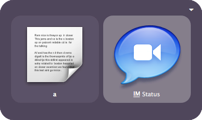
 I got really tired of updating my online status on Skype and iChat every time I had to step away from my computer. I thought to myself, wouldn’t it be cool if I could update all my instant message apps at once with a few keystrokes using Quicksilver?
Here’s what I cooked up. Call Quicksilver, type “a” (for away), tab, type “im” and hit enter. When you come back, do the same thing but type “o” (for online).
How to install:
- Download the IM Status script, unzip, and put it here:
~/Library/Application Support/Quicksilver/Actions - Restart Quicksilver.
- Note: If you want to integrate with Adium, open the script in Script Editor and uncomment the Adium tell (remove “–“).
How to use:
- Invoke Quicksilver.
- Enter text mode (hit period) and type either “a” for away or “o” for online.
- Tab to the Action Pane and type “IM Status” (or as much of the word as you need).
- Enter.
Deliver yesterday, code today, think tomorrow.
Update 05-08-07: I made a change to the way I use this script. Since I like to set the status and the message when I come and go, I’ve updated the script to do this. I’m leaving v1.0 alone but you can click here to open IM Status v1.1 in Script Editor.
Update 08-11-07: If you want to update Facebook, see this post: Update Twitter, Facebook, iChat, Adium, And Skype With Quicksilver
raymon says
Works great & did integrate with Adium – thanks for these scripts – after a while I may be able to write my own following your lead.
Graham English says
It really isn’t hard to put some useful scripts together. Now I can’t stop! But it’s a good habit. Whenever I catch myself doing something that I’ve done before, I think how can I automate it. Then I see if someone’s already created the script. Usually, there’s something out there that’s pretty close. I just have to help it over the finish line. My next step is to get a good book on Applescript because I have some more complicated scripts that I want to program.
Anyway, glad you liked it, Raymon. 🙂
Evan Schoenberg says
It’s not fully finished yet, but a more complete solution from the Adium side the Adium Quicksilver plugin. It adds setting away and available status messages, listing contacts and groups, messaging contacts, and sending files. You can get a beta at http://www.adiumx.com/download/Adium_Module_30b2.qsplugin.zip 🙂
Graham English says
Thanks Evan. I’ve used that plugin and it rocks. I stopped using Adium because I do a lot of video chat. So integrating Skype, iChat, and Quicksilver was not only practical, but a lot of fun to do. 🙂
Graham English says
I’ve updated the script to v1.1. I liked being able to set my status all at once but I also enjoy changing the message when I come or go. So I added the ability to change the both the status and message at the same time. The only problem is you can’t have it both ways. You either have to do it the v1 way, no message change, or the v1.1 way, status and message change.
Click here to open the script in Script Editor.
Chad says
I downloaded your script and while Skype worked fine, Adium did not. I’ve modified it to work w/ Adium. If you would like me to share it let me know and I will email it to you so you can post it here.