Always Be Training Your Ears
July 30, 2008
1 CommentIf you hear some music and don’t know what it is, figure it out immediately. The next time you hear the same chord progression, melodic structure, or rhythm, you’ll probably know what it is. It’s usually as simple as that, and not unlike looking up a word you don’t know in the dictionary.
Always be training your ears. Listen with an instrument or tuning fork nearby. Figure out what you’re hearing. And if you can’t do it in the moment, because you don’t have the right tools or whatever, make a note and remember to figure it out later.
If you can identify the skills you want and take action to acquire them, then you’ll improve.
Or, just let go and listen for fun without trying to deconstruct anything. We often forget to do that.
If you want to be notified the next time I post something, sign up for email alerts or subscribe to my RSS feed. Thanks for visiting!


(No Ratings Yet)Shocking Video Message From Graham English
July 14, 2008
4 CommentsA Big Day For DIY Artists
July 9, 2008
1 Comment
This announcement comes from Last.fm today:
This is a big day for DIY artists as it marks the first time that musicians not affiliated with a label or royalty collection agency can collect revenue direct from a free streaming music platform. We’re very proud to now offer DIY artists the same royalty opportunities as those presented to record labels acts.
Now’s the time to upload your music to Last.fm. Then sign up for the Artist Royalty Program in the Music Manager.
In other Last.fm news, subscribers have been given access to the new Last.fm beta, which includes a facelift and improved user experience. One notable benefit is when you make your music available to download free, it will be included in iTunes podcasts, reaching an even larger audience.
Great times for DIY artists!


(No Ratings Yet)I’m running a little poll to help me better serve you. If you could take just a moment to answer the following question, I’d greatly appreciate it.


(No Ratings Yet)
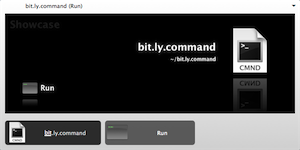
A URL shortener service called Bit.ly launched today. It has some great features that convinced me to switch from using Metamark to shorten my URLs. Since I have a slick script that allows me to use the Metamark API from Quicksilver, I had to modify the code to make it work with Bit.ly.
Copy the following script, name it what you want, and save it in your home folder. When you want to shorten a URL in Safari, run the script from Quicksilver and it will put the shortened URL on your clipboard, ready for pasting.
#!/usr/bin/env python
usage = '''
Takes the URL of the frontmost Safari window/tab and
shortens using the service at bit.ly. The shortened
URL is put on the clipboard, ready for pasting.
'''
from urllib import urlopen, urlencode
from os import popen
# Get the URL of the frontmost Safari window/tab though AppleScript.
applescript = '''tell application "Safari"
URL of front document
end tell'''
url = popen("osascript -e '" + applescript + "'").read().strip()
# Get the shortened URL from bit.ly.
shortURL = urlopen('http://bit.ly/api?url=' + url).read()
# Put the shortened URL on the clipboard.
popen('pbcopy', 'w').write(shortURL)
If Firefox is your thing, modify the AppleScript tell to:
applescript = '''tell application "Firefox"
set myFirefox to properties of front window as list
get item 3 of myFirefox
end tell'''Update: I also use the following script as a Quicksilver trigger to expand shortened URLs and protect myself from surreptitious rickrolling. Just copy the shortened URL you want to expand (TinyURL, Bit.ly, etc.) and trigger the script.
tell application "Quicksilver" to show large type (do shell script "curl -Is `pbpaste` | grep Location | awk '{print $2}'")


(No Ratings Yet)