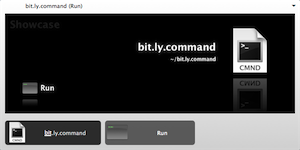
A URL shortener service called Bit.ly launched today. It has some great features that convinced me to switch from using Metamark to shorten my URLs. Since I have a slick script that allows me to use the Metamark API from Quicksilver, I had to modify the code to make it work with Bit.ly.
Copy the following script, name it what you want, and save it in your home folder. When you want to shorten a URL in Safari, run the script from Quicksilver and it will put the shortened URL on your clipboard, ready for pasting.
#!/usr/bin/env python
usage = '''
Takes the URL of the frontmost Safari window/tab and
shortens using the service at bit.ly. The shortened
URL is put on the clipboard, ready for pasting.
'''
from urllib import urlopen, urlencode
from os import popen
# Get the URL of the frontmost Safari window/tab though AppleScript.
applescript = '''tell application "Safari"
URL of front document
end tell'''
url = popen("osascript -e '" + applescript + "'").read().strip()
# Get the shortened URL from bit.ly.
shortURL = urlopen('http://bit.ly/api?url=' + url).read()
# Put the shortened URL on the clipboard.
popen('pbcopy', 'w').write(shortURL)
If Firefox is your thing, modify the AppleScript tell to:
applescript = '''tell application "Firefox"
set myFirefox to properties of front window as list
get item 3 of myFirefox
end tell'''Update: I also use the following script as a Quicksilver trigger to expand shortened URLs and protect myself from surreptitious rickrolling. Just copy the shortened URL you want to expand (TinyURL, Bit.ly, etc.) and trigger the script.
tell application "Quicksilver" to show large type (do shell script "curl -Is `pbpaste` | grep Location | awk '{print $2}'")If you want to be notified the next time I post something, sign up for email alerts or subscribe to my RSS feed. Thanks for visiting!


(No Ratings Yet)GTD: Integrating Remind, iCal, GCal, Quicksilver
April 13, 2008
0 Comments
A Unix program called Remind is one of the greatest tools for keeping your goals and projects on track. Where calendars like iCal and Google Calendar come up short, Remind fills in the gaps.
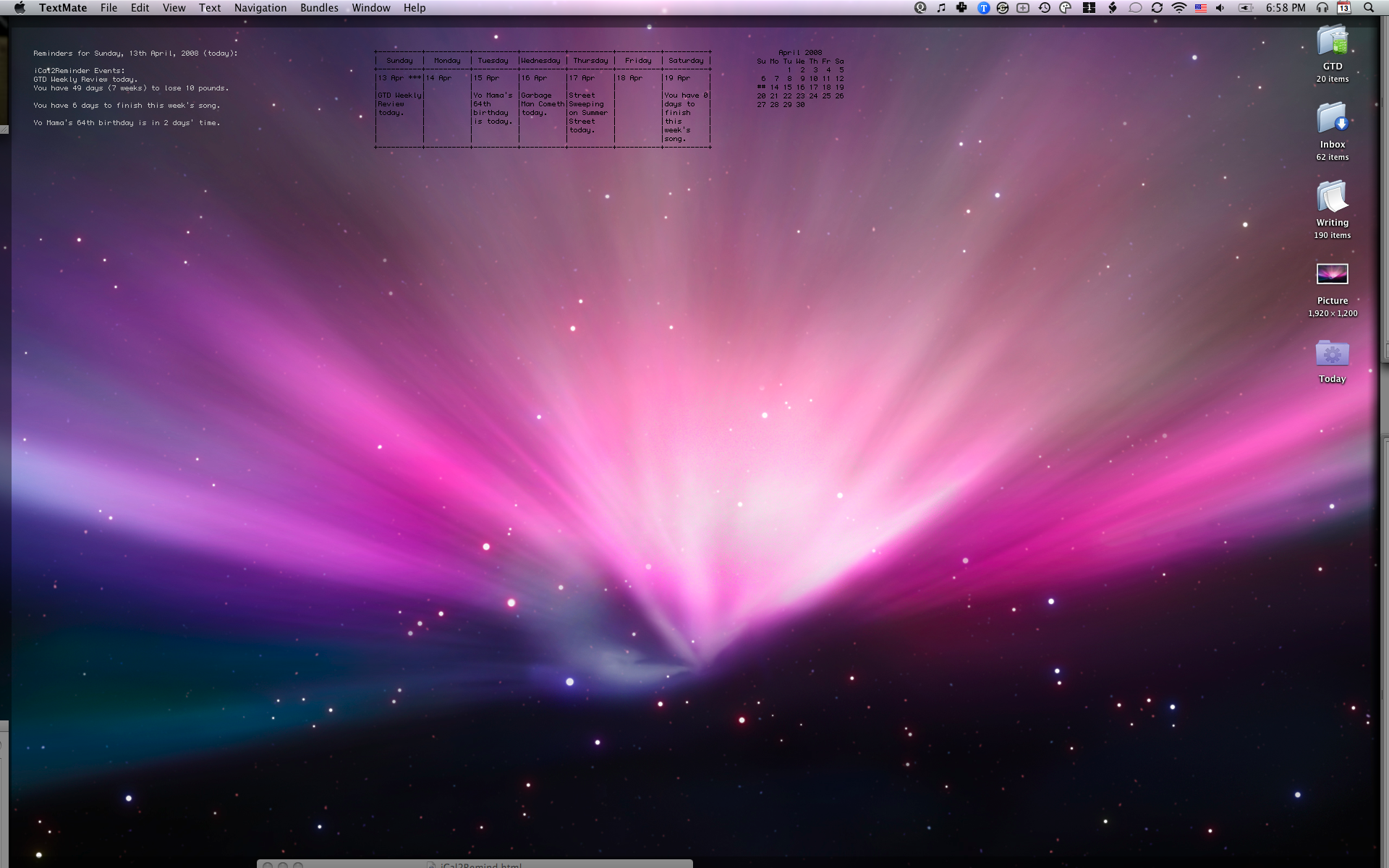
For example, iCal alarms can remind you of an event minutes, hours, or days before it occurs, but it won’t count down to a goal with date-based math. Say you’re trying to lose 10 pounds by the first of June. No calendar application that I know of will tell you that you have 49 days to reach 170 pounds. This is where Remind rules.
Here’s how I have my system set up. Remind pulls all of my custom reminders from a few text files. It outputs them to my desktop using Geek Tool. I have a couple scripts that convert my iCal events to Remind format and Remind events to iCal. This way everything is synced up. I get Remind events in iCal and on my iPhone and I get iCal events on my desktop with Geek Tool. Using Spanning Sync, I can publish all of my iCal and Remind events to Google Calendar for sharing with family or colleagues. And if you don’t want to pay for Spanning Sync, you can publish your iCal to .Mac and then subscribe to it with Google Calendar. It’s not two-way syncing, but it works.
The final trick is to use Quicksilver to get reminders into Remind fast. For this, I have a simple Quicksilver action that appends my Remind text file.
I use Remind to help me finish songs, save money, remember birthdays, take the garbage out, and just about everything. Where it shines the most is in events that can benefit from date-based math, like I mentioned above. Everything you need to get started is on my wiki.


(2 votes, average: 4.5 out of 5)The Best Of Graham English 2007
December 24, 2007
0 Comments
It’s time for my yearly reflections and celebrations.
By far the most popular and most controversial post of 2007 was The Zen Of Attraction. I’m surprised at the attention it received because I wrote it as an aside. Some people loved it and some people hated it. But what was most interesting for me was how many people hated not the article, but me. I mean these were just simple ideas that are totally debatable. This post led me to define some comment rules that include no personal attacks. I’m willing to debate ideas but not whether I’m a good person or not. It was a very interesting experience!
The second most popular post was iQuickTwitter - My Quicksilver + Twitter + iChat + Growl Hack. This little app got some serious link love from TUAW, Ars Technica, and many other fantastic blogs. And a big reason why I didn’t blog as much as I did in 2006 was because of Twitter. If I ever had something short and simple to say, rather than try to develop it into at least 250 words, which I previously believed warranted a blog post, I would just post it to Twitter, which has a limit of 140 characters. I think my strategy will change some in 2008. My new Lifestream category will probably see a lot more action whenever I find that 140 characters is not enough. The most significant change is that I won’t keep such a tightly controlled niche blog. The only thing tying this blog together is that I am writing it, not the subject matter. So if I feel like saying something, this blog will take priority.
Along similar lines as iQuickTwitter were my many posts on automation. Some of them were conceptual, like Automation As Part Of An Integral Life Practice and Automating The Quality Of Your Attention. While others were specific and geeky, like IM Status: Update Your Skype, iChat, Or Adium Status With Quicksilver, Top 5 AppleScript Productivity Hacks for WordPress Bloggers and Podcasters, and Blogging With Quicksilver And AppleScript. I’ve really grown to see automation as an important part of life that I need to revisit again and again.
Some of my favorite songwriting articles were Applying The 80-20 Rule To Your Songwriting, my Hit Songwriting Tips Podcast, The Secret Alchemy Of Songwriting, 5 Sure Fire Ways To Kick-Start The Songwriting Habit, Rewriting Song Titles For Practice And Inspiration, and What Makes a Good Song? My biggest disappointment of 2007 was the small amount of completed songs. I finished only about half a dozen songs and published just one of them, which I’m quite proud of, “When The Wall Falls Down.”
I also didn’t write about ear training or music theory nearly as much as I did in 2006. But I have a few favorites, such as How To Use Tension And Release In Your Melodies, my Absolute Pitch Ear Training Podcast, Playing Outside: The Dominant 7 Pentatonic Scale, and Ear Training or Listening Practice?
Two great moments of 2007 were getting my new MacBook Pro and iPhone. The new Mac inspired a whole new series of podcasts called Graham English Talks and introduced my own videos, like The Best Of Dwight Schrute Part 1, Part 2, and Part 3. The iPhone inspired Brian Eno’s Oblique Strategies For Your iPhone and made my tech life much more streamlined.
2007 was definitely a year of social networking. Twitter, Facebook, Last.fm, Stumbleupon, and many other social networks occupied a large part of my time online. And there were many benefits like making new friends, reconnecting with old friends, finding a larger reach for my articles and music, and discovering new forms of self-expression. It confirms how important relationships truly are.
Which leads me to the very best of 2007, You! My life wouldn’t be nearly as fulfilling without the special presence of you. The support of my readers and listeners has made the tough times easier and the good times even better. I sincerely hope that we stay connected through 2008. Thanks for sticking with me through 2007. w00t!


(4 votes, average: 4.75 out of 5)Graham English Talks Episode 10
September 19, 2007
0 CommentsIn this episode I talk about Logic Studio (see pics of unboxing Logic Studio) and Logic Studio Training, my fitness and 300 workout progress, Numbers, coaching programs, Backup, the Zen of attraction, Breaking and Entering, The West Wing, The X-Files, and Californication.
Music:
Breaking and Entering by Graham English
One More Night With You by The Brian Setzer Orchestra
Video:
Logic Pro 8 New Template Chooser


(No Ratings Yet)Logic Pro 8 Released!
September 16, 2007
0 Comments
Logic Studio was released on Wednesday and it was in my hands by noon. Unfortunately, due to my owning the academic version of Logic Pro 7, I had to wait until Friday to find a tricky hack to install the upgrade. There’s no upgrade for academic versions. I think it’s a stupid rule. I figure it should be like getting an educational discount on computers. Apple doesn’t see it that way. It’s probably the first time I’ve ever been mad at Apple.
But now that Logic Pro is installed in my system, all I can say is “Wow!” Logic Pro got a boob job. The user interface has been completely overhauled. That was my biggest complaint with Logic Pro 7. It wasn’t as fun to use as GarageBand. It didn’t have that Apple sexiness. Now it does.
Logic Studio is a set of apps including Logic Pro 8, MainStage (a live performance app), Soundtrack Pro, and all of the GarageBand Jam Packs. It’s a serious suite of sound tools. I haven’t even launched MainStage yet. And it’s an app I’ve been waiting for them to develop for a long time!
So you know what I’ll be up to for the next few weeks.
For a quick look at just one of the many sexy improvements, watch my Logic Pro 8 Template Chooser video. This will be part of a video training program I’m helping to develop at Logic Studio Training.
To talk well and eloquently is a very great art, but that an equally great one is to know the right moment to stop.
– Wolfgang Amadeus Mozart


(1 votes, average: 5 out of 5)